Computer Science
Engineering Safety Vests: Signal Bracelets
Upper Elementary
Impacts of Computing
Algorithms & Programming
In Classrooms
Students use MakeCode and micro:bits to design a signal bracelet that displays signals when activated by kinesthetic inputs.


Module Overview
Students design a signal bracelet as a smaller, lightweight alternative to a safety vest. They identify three signals they want their bracelet to send and determine how to communicate those messages using the LED display on the micro:bit.
- Teach this module after Engineering Safety Vests
- 3 lessons
- 45-50 minutes per lesson
- Student materials available in Spanish
- Computational tools used: BBC micro:bits, Microsoft MakeCode (free web-based application)
- Computer science modules require a short list of materials not included in a kit
Standards Alignment
YES units align with state and national science standards, integrating seamlessly with popular elementary science curricula.
Module Resources
Digital Resources (FREE)
YES provides these materials free of charge! Use the link below to download resources from our Google Drive.
Download ResourcesModule Map
Students learn about the problem and how they will address it using a signal bracelet. Students explore inputs and outputs on the micro:bit, then work in groups to modify their safety vest signals for the micro:bit’s LED display.
Students explore kinesthetic inputs on the micro:bit. They work in groups to match their outputs (LED displays) to inputs that will help them communicate their messages clearly.
Students work in groups to build their algorithm, download it to their micro:bit, then test it as part of a signal bracelet. Groups get feedback from others about how clear the meaning of their signals are and improve their algorithm if time allows.
Teacher Preparation Videos
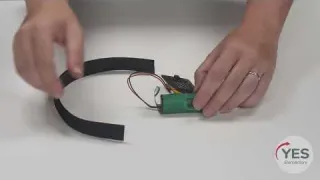

Lesson 2 Preparation: Signal Bracelet
Videos for Students
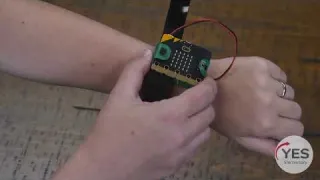
Lesson 2: Put On a Signal Bracelet
Our funders
Major support for this project has been provided by Dell Technologies.