





Extend learning with this computer science module designed to be taught after Engineering Wearable Alerts. Students build an algorithm that tracks the amount of time a user is in text neck position and alerts the user after it has been too long. They download their algorithm to a micro:bit for testing.
YES Middle School
Engineering Wearable Alerts
Middle School
In Classrooms
Students investigate circuits, switches, and systems as they engineer a wearable technology that signals when the user is in “text neck” position.
Unit Overview
Students use the Engineering Design Process to design a wearable alert that notifies the user when they put excessive strain on the neck, also known as text neck. Students investigate electrical circuits and mechanical switches and consider how these components work together as a system in their wearable alert.
- 9 lessons
- 45–55 minutes per lesson
- Student materials available in Spanish
- Connects to computer science modules: Text Neck Timers and Alert Simulations
| Curriculum Line | YES Middle School |
| Engineering Field | Mechanical Engineering, Electrical Engineering |
| Science Domain | Physical Science |
| Science Topic | Electrical and mechanical systems |
| Suggested Grade Level | 6 - 8 |
Standards Alignment
YES units align with state and national science standards, integrating seamlessly with popular middle school science curricula.
Unit Resources
Digital Resources (FREE)
YES provides these materials free of charge! Use the link below to download resources from our Google Drive.
Download ResourcesPurchase Materials
Educator Guide Pack -
$69
- Full-color print educator guide, plus multiple sets of heavy-duty reusable color-print resources (ex. vocabulary cards, materials glossaries, station signs, and student instructions) for the class.
Materials Kit -
$399
- Hands-on materials to support 24 learners.
Additional Section Kit -
$209
- Supplements Materials Kit to serve up to 24 more students.
Teacher Preparation Videos
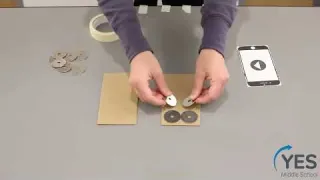

Lesson 1 Preparation: Model Phone
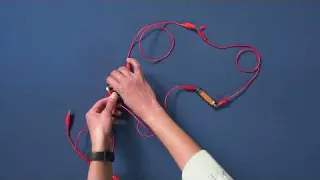
Lesson 3 Preparation: Demonstration Switch

Lesson 4 Preparation: Model Head
Videos for Students

Lesson 4: Text Neck Motion

Lesson 4: Use a Model Head
Unit Map
Students are introduced to engineering by designing a phone stand to solve an everyday problem.
Teams create a complete circuit, identify different forms of energy in their circuits, and create a guide to help them address common problems in circuits.
Teams explore how switches work and use what they learn to investigate which materials are conductive and work well to make a switch.
Teams explore how they can close a switch by moving into text neck position. They use a model head to create and test a switch that can touch a goal contact point when in text neck position.
Students generate criteria and make arguments for which are the most important. The class then finalizes the criteria and teams brainstorm their wearable alerts.
Teams discuss ideas, make a plan, and create a wearable alert they believe will meet the criteria and constraints.
Teams test their designs and determine a focus for iteration based on their evaluation of their test results.
Teams plan how they will iterate, then they create and test a second version of their wearable alert.
Teams present their wearable alert to the class and consider how well they work to solve the problem. Teams rank how well different solutions to the problem would work in their school.
Image

Image
Alert Simulations
Extend learning with this computer science module designed to be taught after Engineering Wearable Alerts. Students choose features of a computer algorithm that could be used to improve their wearable alert so that it only alarms at specified times. Students test and refine their algorithm against computer-generated scenarios.
Our funders
Major support for this project has been provided by MathWorks.